
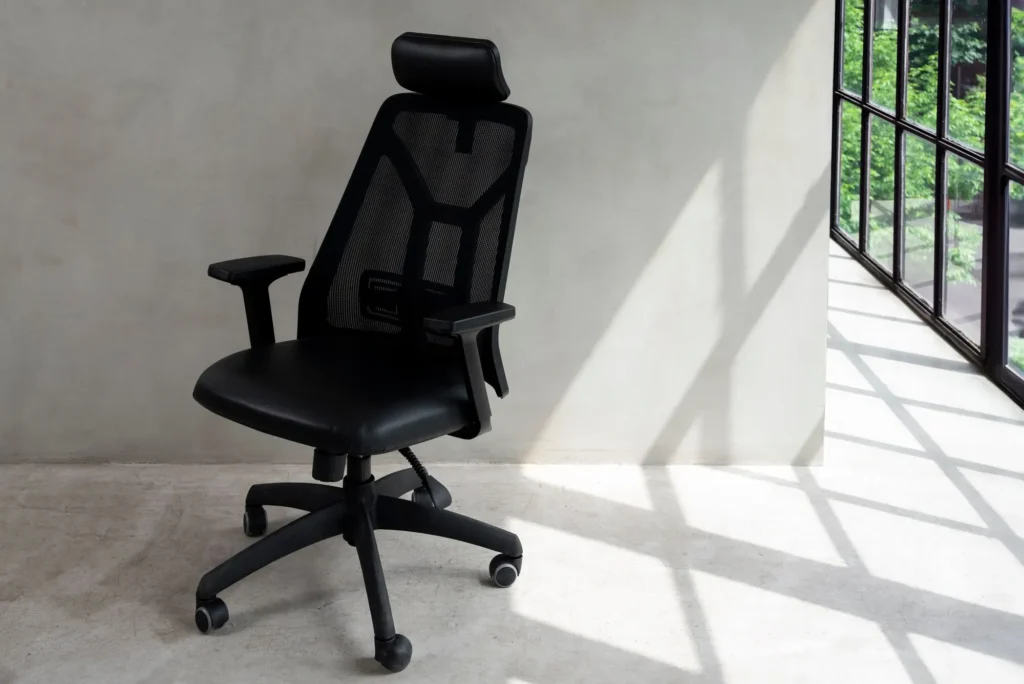
Spending eight or more hours at a desk can leave your back feeling stiff, your shoulders tense, and your body uncomfortable. While regular movement is important, the right office chair can make extended workdays considerably more comfortable.
Choosing a chair involves more than finding a soft seat. Proper lumbar support, adjustable features, breathable materials, and suitable seat depth all contribute to a better sitting experience. This is why many Canadian professionals prefer ergonomic office chairs for their home and corporate workspaces.
At OFWD, you can explore office seating solutions designed for different workplace needs. This guide explains what makes an office chair suitable for long hours, compares popular chair styles, and highlights the features worth prioritizing.
What Is the Best Type of Office Chair for Long Hours?
The best office chair for extended sitting is generally a fully adjustable ergonomic chair with reliable lumbar support, a supportive seat, and a reclining backrest. A suitable chair should provide:
- Adjustable lumbar support: Helps support the natural curve of the lower back.
- Seat height adjustment: Allows feet to rest comfortably on the floor or a footrest.
- Adjustable armrests: Support the forearms without raising the shoulders.
- Recline and tilt mechanisms: Allow changes in posture throughout the day.
- Breathable upholstery: Helps maintain comfort during extended sitting.
- Appropriate seat depth: Supports the thighs without pressing against the backs of the knees.
The ideal combination depends on your body type, daily work routine, and personal comfort preferences. Whether purchasing an ergonomic chair in Calgary or elsewhere in Canada, prioritize adjustable features that suit your individual needs.
Why Does Your Office Chair Matter During Long Workdays?
Remaining seated for extended periods can contribute to muscle fatigue, stiffness, and discomfort, particularly when your workstation does not fit your body properly.
A poorly designed chair may encourage slouching, place unnecessary pressure on the thighs, or leave the lower back unsupported.
Choosing suitable ergonomic office chairs can help individuals improve sitting comfort by providing adjustable support. However, no chair can guarantee pain relief or replace regular movement.
A supportive chair can offer several practical benefits.
Improved Sitting Posture
An appropriately adjusted chair helps maintain a comfortable, supported sitting position. Adjustable backrests and seat heights also make it easier to align your body with your desk and monitor.
Reduced Pressure on the Lower Back
Lumbar support helps maintain contact between the backrest and the lower spine. This may reduce discomfort associated with sitting without adequate support.
For individuals considering ergonomic chairs for back pain, adjustable lumbar support is an important feature to evaluate.
Greater Comfort Throughout the Day
Supportive cushioning, breathable upholstery, and adjustable armrests can reduce pressure points and make longer work sessions more manageable.
Better Workstation Flexibility
A chair with multiple adjustment options can accommodate different working positions, including typing, reading, video meetings, and occasional reclining.
Comparing the Best Office Chair Types for Extended Sitting
Office chairs are available in several designs, each offering different advantages. Understanding these differences makes it easier to choose a suitable option.
For professionals searching for an ergonomic chair in Calgary, comparing chair types before purchasing can help narrow down suitable options based on comfort, adjustability, and workspace requirements.
Chair Type | Main Advantage | Best Suited For | Consideration |
Ergonomic office chair | Multiple adjustments and body support | Long daily work sessions | Features vary by model |
Mesh office chair | Breathability and ventilation | Warm offices and extended sitting | Mesh firmness varies |
Executive office chair | Generous cushioning and appearance | Private offices and managerial spaces | Some offer limited adjustments |
Task chair | Compact design and everyday flexibility | Home offices and shared workstations | May provide fewer advanced features |
High-back office chair | Extended backrest support | Users who prefer upper-back support | Proper fit remains essential |
For most people spending six to eight hours or more at a desk, adjustable ergonomic office chairs are a strong starting point. They offer greater flexibility for maintaining comfort throughout different working activities.
Essential Features to Look for in an Office Chair
A chair’s appearance does not necessarily indicate how comfortable it will remain after several hours. Its adjustment options and fit are usually more important.
Understanding these features is particularly useful when comparing ergonomic chairs for back pain, as individual support requirements can vary considerably.
1. Adjustable Lumbar Support
Lumbar support is particularly valuable for people who experience lower-back discomfort while sitting.
Look for a backrest that supports the lower spine without pushing excessively into it. Proper seating also plays an important role in maintaining back health, particularly for people who spend much of their working day at a desk.
2. Seat Height and Depth Adjustment
Seat depth matters as well. Ideally, there should be a small gap between the front edge of the seat and the backs of your knees.
A seat slider can be particularly helpful for taller or shorter users who struggle with fixed-depth seating. Many ergonomic office chairs include these adjustments to accommodate different body proportions.
3. Reclining Backrest and Tilt Control
Sitting completely upright for an entire workday is neither necessary nor particularly comfortable.
A reclining backrest allows users to change positions, while adjustable tilt tension helps control how easily the chair moves. A synchronized tilt mechanism can also coordinate movement between the seat and backrest, making it easier to change positions without losing support.
4. Adjustable Armrests
Armrests should support the forearms while allowing the shoulders to remain relaxed. If armrests are positioned too high, they may encourage shoulder tension. If they are too low, users may lean sideways or place unnecessary weight on their wrists.
Height-adjustable armrests are useful, while models with width and depth adjustments offer additional flexibility. When comparing ergonomic chairs for back pain, armrest positioning should also be considered because it affects overall sitting posture.
5. Supportive Cushioning and Upholstery
Look for cushioning that distributes body weight comfortably without excessive sinking. Mesh, fabric, and upholstered seating can all work well when the chair is properly designed.
For anyone purchasing an ergonomic chair in Calgary, considering upholstery alongside adjustability can help ensure the chair suits both personal comfort preferences and the office environment.
Mesh vs. Fabric vs. Leather Ergonomic Office Chairs
Upholstery affects breathability, maintenance, appearance, and how a chair feels during extended use.
Different materials offer different advantages, so selecting the right option depends on your workspace conditions and daily sitting habits.
Material | Comfort Characteristics | Advantages | Potential Drawbacks |
Mesh | Breathable, flexible support | Good airflow and ventilation | Firmness depends on construction |
Fabric | Soft, familiar seating feel | Wide range of textures and cushioning | May require more cleaning |
Leather | Smooth, structured finish | Professional appearance and easy wiping | Can retain heat |
Faux leather | Similar appearance to leather | Often easier to clean | Breathability and durability vary |
For Canadian workplaces, the choice often depends on indoor temperature, daily use, and personal preferences.
Which Ergonomic Office Chairs Should You Consider?
Rather than choosing solely by appearance, compare chairs based on their adjustment features and how well they fit your workstation.
OFWD offers several ergonomic seating options worth exploring. These models provide different combinations of backrest designs, materials, and adjustment mechanisms.
PosturePro High-Back Chair
The PosturePro range includes high-back models with mesh backs, fabric seats, synchronized mechanisms, and seat sliders.
These features make the range worth considering for users who want more flexibility in adjusting their seating position.
ProFlex High-Back Chair
ProFlex models include high-back designs with synchronized mechanisms and seat sliders. Certain configurations also offer headrests. For individuals comparing ergonomic chairs for back pain, checking the lumbar support and adjustment specifications of each model can help identify suitable options.
ErgoBreeze Mid-Back Chair
ErgoBreeze includes mid-back seating options with mesh or faux leather finishes, tilt and swivel functionality, and selected headrest configurations.
These chairs may appeal to users looking for everyday office seating with a more compact backrest.
You can compare these models and other office chairs to identify seating options that match your comfort preferences and workspace requirements.
How to Choose the Right Office Chair for Your Workday
The best chair is not necessarily the most expensive model. It is the one that fits your body, supports your working habits, and offers the adjustments you need.
Whether you’re choosing an ergonomic chair in Calgary for a home office or purchasing seating for a larger workplace, consider the following factors before making a decision.
- Your daily sitting duration: People who spend most of their working day seated should prioritize adjustability, cushioning, and back support.
- Your height and body proportions: Check seat-height range, seat depth, backrest dimensions, and weight capacity.
- Your workstation: Make sure the chair works with your desk height, keyboard position, and available legroom.
- Your preferred sitting position: Some users prefer upright support, while others regularly recline between tasks.
- Your budget: Compare essential ergonomic features before paying extra for appearance or optional accessories.
When selecting ergonomic office chairs, Canadian buyers should also review delivery options, warranty coverage, and product specifications before ordering.
How to Adjust Your Office Chair for Better Comfort
Even a high-quality chair can feel uncomfortable when it is not adjusted correctly.
Proper adjustments help users get the most out of their seating investment. This is especially important for people exploring ergonomic chairs for back pain, since support depends partly on how the chair fits the individual.
Follow these steps to create a more supportive workstation:
- Set your seat height. Keep your feet supported and your knees at approximately hip level.
- Adjust the seat depth. Leave a small space behind your knees while keeping your thighs supported.
- Position the lumbar support. Align it comfortably with your lower back.
- Set your armrests. Keep your shoulders relaxed and elbows close to your body.
- Adjust your monitor. Position it directly in front of you at a comfortable viewing height.
- Change positions regularly. Stand, stretch, or walk periodically instead of remaining in one posture for hours.
Remember that even the most supportive chair cannot eliminate the effects of prolonged inactivity. Regular movement remains an essential part of a comfortable work routine.
Common Mistakes to Avoid When Buying an Office Chair
Many buyers focus on appearance or initial softness without considering long-term usability.
Even when shopping for an ergonomic chair in Calgary, it is important to evaluate the chair’s specifications rather than relying only on photographs or product descriptions.
Common mistakes include:
- Choosing a chair without checking its adjustment range.
- Assuming thicker cushioning always provides better support.
- Ignoring seat depth and backrest dimensions.
- Purchasing based only on appearance or price.
- Overlooking warranty coverage and product durability.
- Expecting a chair alone to resolve persistent back pain.
Whenever possible, review detailed specifications and try the chair before purchasing.
Experience Better Workplace Comfort with OFWD Business Furnishings
Finding the right office chair becomes easier when you have access to seating options that suit different working styles and preferences. Our Business Furnishings offers a selection of ergonomic office chairs designed to bring comfort, functionality, and style to Canadian workplaces.
Whether you’re furnishing a home office or upgrading an entire workspace, OFWD provides practical seating solutions for different needs and budgets. From breathable mesh designs to adjustable high-back chairs, customers can explore options that complement their work environment. With a focus on quality, choice, and everyday usability, we help businesses and individuals create more comfortable, productive workspaces.
Conclusion
Choosing the best office chair for long hours of sitting requires careful consideration of comfort, adjustability, and overall support. Features such as lumbar support, breathable upholstery, adjustable armrests, and suitable cushioning can make a noticeable difference during extended work sessions. Well-designed ergonomic office chairs should also match your body proportions, workstation setup, and daily working habits.
Whether you’re upgrading your home office or furnishing a professional workspace, investing in suitable seating is an important step toward better everyday comfort. Remember that regular movement and proper workstation adjustments remain essential, even with an ergonomic chair.
Explore the range of seating solutions available at OFWD Business Furnishings and find a chair that combines practical functionality, lasting comfort, and professional style for your Canadian workspace.